

Streamline gang sheet preparation for DTF transfers
Master gang sheet preparation for DTF transfers with automated layouts, quality control, and proven strategies that cut waste and boost production speed.

Gang sheet preparation often becomes the hidden bottleneck in DTF apparel printing workflows. Small to medium businesses struggle with manual layout processes that waste materials, slow production, and create inconsistent results. Mastering an optimized gang sheet preparation process can transform your operation by cutting setup times, reducing waste, and accelerating order fulfillment. This guide walks you through proven strategies to prepare gang sheets efficiently, from automated layout tools to quality verification systems that keep your DTF printing running smoothly and profitably.
Table of Contents
- Understanding The Gang Sheet Preparation Process
- Gathering Tools And Preparing Your Workspace
- Step-By-Step Gang Sheet Layout And Preparation
- Verification, Quality Control, And Troubleshooting Common Issues
- Streamline Your Dtf Printing With Diyprintz
- Faq
Key takeaways
| Point | Details |
|---|---|
| Automated layouts maximize efficiency | Placing 6–20 designs per sheet cuts setup times and material waste significantly. |
| Standardized profiles reduce errors | Consistent color and size templates eliminate manual guesswork and speed production. |
| Consolidated jobs boost utilization | Grouping orders maximizes printer bed use and reduces costly setup cycles. |
| Real-time tracking prevents delays | Production dashboards identify bottlenecks before they impact turnaround times. |
| Quality checks ensure consistency | Pre-print verification reduces reprints and maintains customer satisfaction. |
Understanding the gang sheet preparation process
Gang sheets are single print beds containing multiple designs printed simultaneously on DTF transfer material. This approach lets you produce several orders in one print run rather than setting up individual jobs. The efficiency gains are substantial when done correctly, but manual preparation often creates more problems than it solves.
Preparing gang sheets manually typically leads to inefficient layouts that waste expensive transfer film and ink. You might place designs too far apart, use inconsistent spacing, or fail to optimize for your printer bed dimensions. These mistakes add up quickly. Manual processes also introduce guesswork around color profiles and sizing, causing delays when prints don’t match customer expectations or garment specifications.
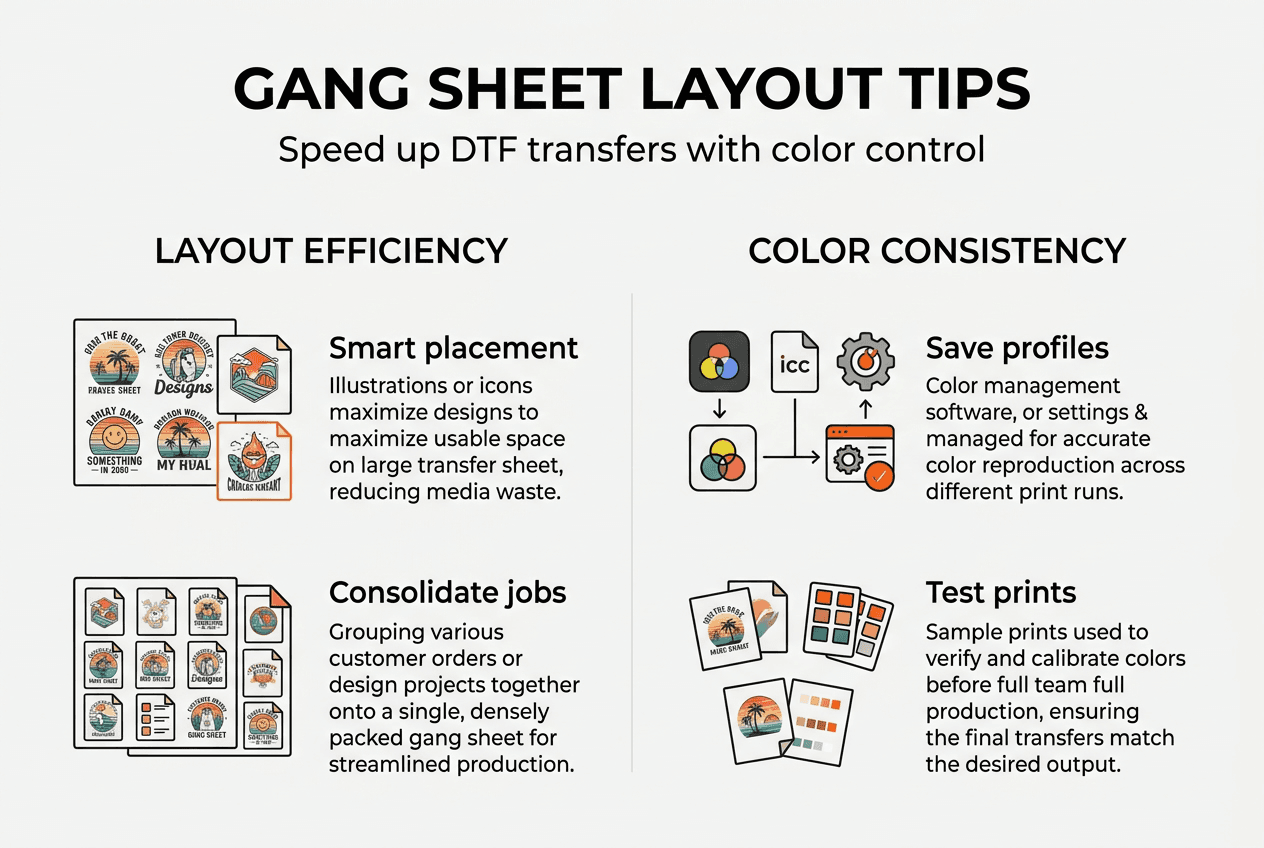
Automated tools enable placing 6–20 designs per sheet to maximize material use and reduce ink changes. This dramatic improvement comes from intelligent algorithms that calculate optimal spacing, rotation, and arrangement. Instead of spending 30 minutes manually positioning designs, automated systems generate optimized layouts in seconds.
The foundation of efficient DTF production starts with understanding how gang sheet preparation impacts your entire workflow:
- Material costs drop when you fit more designs per sheet without compromising quality
- Setup time decreases because you’re running fewer individual print jobs
- Color consistency improves when standardized profiles eliminate manual adjustments
- Production speed increases as your team spends less time on layout and more time printing
Mastering this process requires moving beyond manual methods. DTF gang sheet hacks can accelerate your learning curve, but the real transformation happens when you implement systematic approaches. Understanding DTF printing apparel production fundamentals helps you recognize where gang sheet optimization fits into your broader workflow.
Gathering tools and preparing your workspace
Efficient gang sheet preparation starts with the right equipment and organized workspace. You can’t optimize what you can’t control, so investing in proper tools pays immediate dividends.
Essential hardware includes a reliable DTF printer with consistent output quality, a computer powerful enough to run layout software without lag, and precision cutting tools for trimming finished transfers. Your printer should maintain stable temperature and pressure settings to ensure repeatable results. The computer needs sufficient RAM and processing power to handle multiple design files simultaneously.
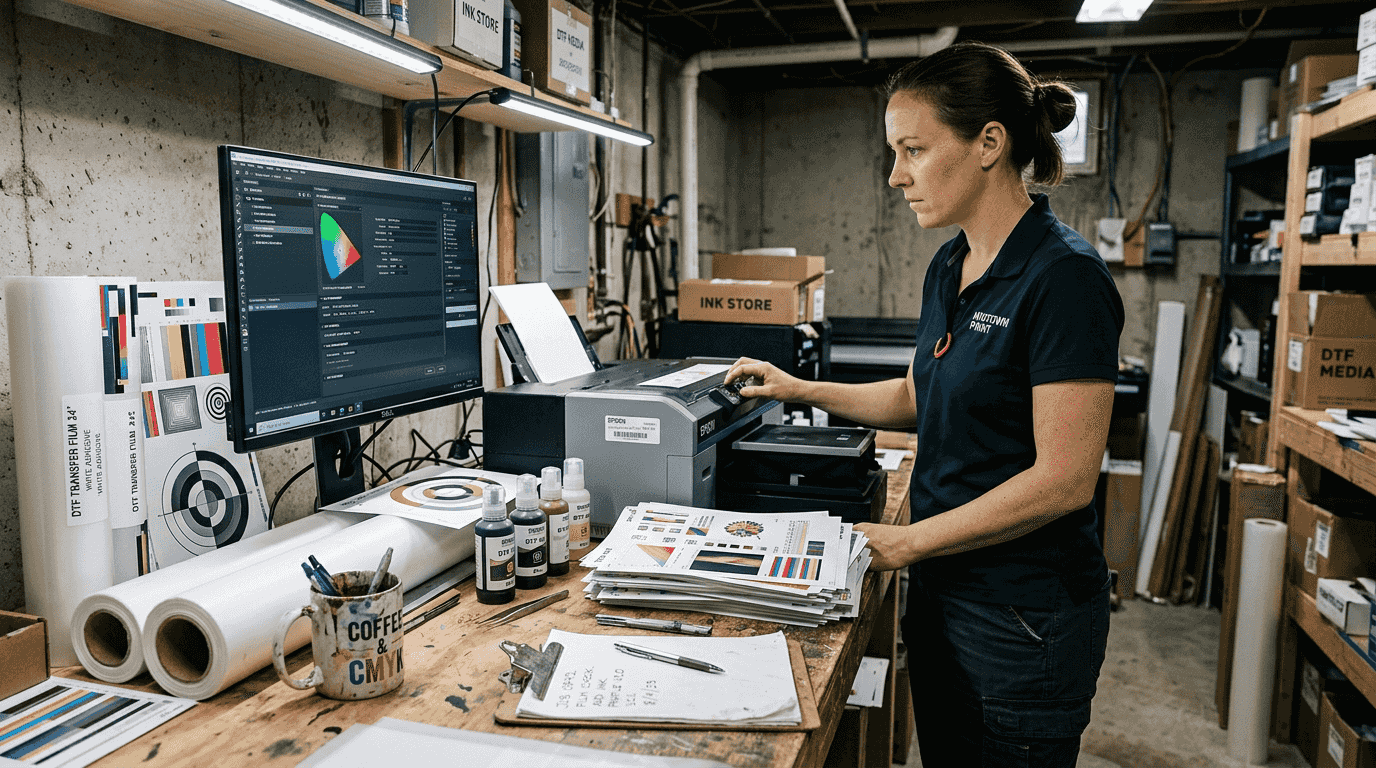
Automated gang sheet builders standardize color and garment size profiles, reducing manual guesswork, minimizing waste, and accelerating the setup phase. This software category has evolved significantly, offering features that were impossible with manual methods. Look for tools that integrate with your existing design software and support batch processing.
Your workspace organization directly impacts error rates and production speed. Designate specific areas for design preparation, printing, and quality control. Keep frequently used templates and color profiles easily accessible. Maintain a clean, organized digital file structure that mirrors your physical workspace.
Prepare a library of pre-approved designs and templates for quick layout generation. This library should include:
- Standard garment size templates for common products
- Verified color profiles for your specific printer and ink combination
- Margin and bleed specifications that match your cutting process
- Customer-specific requirements and preferences
| Tool Category | Purpose | Impact on Workflow |
|---|---|---|
| Gang sheet software | Automates design placement and optimization | Reduces setup time by 60–80% |
| Color management system | Ensures consistent output across jobs | Eliminates costly reprints |
| Template library | Standardizes common layouts | Speeds recurring order processing |
| Quality control tools | Verifies layouts before printing | Prevents material waste |
Explore DTF gang sheet hacks to discover workspace optimization strategies other shops have implemented successfully. Understanding DTF printing terminology helps you communicate effectively with software vendors and troubleshoot issues faster.
Step-by-step gang sheet layout and preparation
Creating optimized gang sheets follows a systematic process that balances efficiency with quality. Each step builds on the previous one to ensure your final layout maximizes material use while maintaining print quality.
-
Import all designs for the current production batch into your gang sheet software. Group orders by similar characteristics like color complexity, size requirements, or customer priority. This grouping lets you optimize for specific variables rather than trying to accommodate everything simultaneously.
-
Set your printer bed dimensions, margins, and bleed specifications in the software. These parameters define the boundaries for design placement. Margins prevent designs from printing too close to edges where adhesion might fail. Bleed ensures colors extend slightly beyond cut lines for clean finished edges.
-
Apply your standardized color profiles to ensure consistent output. Automated tools enable placing 6–20 designs per sheet, dramatically cutting setup times, reducing waste, and boosting overall production capacity. The software calculates optimal rotation and spacing automatically.
-
Review the automated layout and make manual adjustments only when necessary. The algorithm optimizes for material efficiency, but you might need to separate designs that could confuse your cutting process or adjust spacing for easier weeding.
-
Generate and save the final gang sheet file with clear naming conventions that include date, batch number, and any special requirements. This documentation helps track production and troubleshoot issues later.
-
Create a cutting guide or reference sheet showing where each design appears on the gang sheet. This guide speeds post-print processing and reduces errors during order fulfillment.
Consolidate orders whenever possible to maximize printer bed use and reduce setups. Running three separate small jobs wastes time on printer preparation, color calibration, and material handling. Combining them into one optimized gang sheet cuts those redundant steps.
| Approach | Setup Time Per Job | Material Waste | Error Rate |
|---|---|---|---|
| Manual layout | 25–35 minutes | 15–25% | 8–12% |
| Automated gang sheets | 3–5 minutes | 3–6% | 1–2% |
Pro Tip: Maintain consistent color management across all gang sheets to avoid costly reprints. Save verified color profiles for each ink and material combination you use regularly. Test new profiles on small samples before committing to full production runs.
Implementing fast turnaround printing apparel strategies becomes much easier when your gang sheet process runs smoothly. Understanding the benefits DTF printing apparel business 2026 helps you recognize where optimization efforts deliver the biggest returns.
Verification, quality control, and troubleshooting common issues
Even perfectly optimized gang sheets need verification before printing. Quality control catches errors when they’re cheap to fix rather than after you’ve wasted materials and time.
Verify color profiles by comparing your screen preview against previous successful prints. Colors shift between monitors and printers, so maintaining reference samples helps you spot problems early. Test prints on small sections confirm color fidelity before committing to full sheets. This small investment prevents large batches of unusable transfers.
Check margins, bleed, and spacing carefully to avoid cutting errors. Designs placed too close together create nightmares during weeding and application. Insufficient bleed leaves white edges that look unprofessional on finished garments. Margins that extend beyond your printer’s reliable output area risk incomplete prints or adhesion failures.
Production calendars and dashboards enable real-time re-prioritization and proactive bottleneck mitigation rather than reactive firefighting. These systems show you exactly where each job sits in your workflow. You can identify slowdowns before they cascade into missed deadlines.
Common troubleshooting scenarios include:
- Misalignments between design preview and actual print output, usually caused by incorrect printer calibration or outdated software drivers
- Ink smudges or bleeding that indicate improper curing temperatures or excessive ink saturation
- Waste hotspots where certain areas of your gang sheets consistently underperform, suggesting equipment issues or material defects
- Color shifts between batches that point to inconsistent profiles or environmental factors like humidity
Pro Tip: Establish a quality checklist before approving print jobs to minimize costly errors. Your checklist should cover color verification, spacing confirmation, margin validation, and file naming accuracy. Having one person review every gang sheet before printing catches mistakes that individuals might miss when rushing.
Document recurring issues and their solutions in a troubleshooting guide your entire team can reference. This knowledge base prevents the same problems from derailing production repeatedly. Include photos of common defects and their causes to speed diagnosis.
Regular equipment maintenance prevents many quality issues before they occur. Clean print heads according to manufacturer schedules. Calibrate your printer monthly or whenever you notice output inconsistencies. Replace worn components before they fail during critical production runs.
Explore the DTF transfer application guide perfect results to ensure your optimized gang sheets translate into successful finished products. Quality control doesn’t stop at printing. The entire process from design to pressed garment needs attention.
Streamline your DTF printing with DIYPRINTZ
Mastering gang sheet preparation delivers impressive efficiency gains, but it still requires significant time, equipment investment, and ongoing expertise. Many successful apparel businesses have discovered a better approach: partnering with a dedicated DTF transfer provider.
DIYPRINTZ handles the entire transfer printing process so you can focus on what matters most, growing your brand and serving customers. We produce hundreds to thousands of orders monthly with consistent quality and fast turnaround. Our team has already optimized every aspect of gang sheet preparation, color management, and quality control. You get professional DTF transfers without the equipment costs, maintenance headaches, or learning curve.
Whether you’re running a print shop, building a merch brand, or operating an embroidery business, DIYPRINTZ delivers ready-to-press transfers that make your workflow cleaner and more profitable. From small test runs to bulk production, we handle the technical complexity while you focus on sales and fulfillment.
FAQ
What is the ideal number of designs on a gang sheet for DTF printing?
Typically, 6–20 designs per sheet maximize efficiency without compromising quality. The exact number depends on your design sizes, printer bed dimensions, and production priorities. Smaller designs allow higher density, while larger graphics might limit you to fewer pieces per sheet. Automated layout tools calculate the optimal arrangement for your specific situation.
How does automated gang sheet preparation reduce waste?
Automation optimizes design placement, minimizes excess margins, and prevents costly misprints by standardizing the layout process. Manual placement often leaves large gaps between designs or positions graphics inefficiently. Automated systems use algorithms to pack designs tightly while maintaining necessary spacing. This precision reduces material costs by 10–20% compared to manual methods.
What are common mistakes to avoid during gang sheet preparation?
Avoid improper color management, inconsistent sizing, poor layout planning, and skipping test prints. Manual guesswork on color profiles and sizing causes delays and quality inconsistencies that frustrate customers. Consistent templates and verification steps catch errors before they become expensive problems. Rushing through preparation to start printing faster usually backfires with reprints and wasted materials.
How can gang sheet optimization improve turnaround times?
Optimized layouts reduce setup and print times, accelerating order fulfillment significantly. Lead times shortened by around 40% with automated gang sheet preparation, enabling many orders to ship within 24–36 hours after approval. You spend less time positioning designs and more time producing finished transfers. Batch processing multiple orders simultaneously compounds these time savings across your entire production schedule.
Recommended
READY TO PRINT?
Send us your artwork and we'll dial in your DTF transfer, color, and same-day turnaround.


