

How gang sheets work for efficient DTF printing
Learn how gang sheets work in DTF printing, when to use them, and expert tips to cut costs and maximize every print run for your apparel business.

Printing DTF transfers one at a time is one of the fastest ways to burn through your budget and your patience. You pay for material, ink, and time on every single sheet, even when half of it goes to waste. Gang sheets solve that problem directly. If you run a small apparel brand, a print shop, or you press transfers as a hobby, understanding how gang sheets work can cut your costs, speed up your workflow, and help you get more out of every print run. This article breaks down what gang sheets are, how they work step by step, and when to use them versus individual transfers.
Table of Contents
- What is a gang sheet?
- How gang sheets work in DTF printing
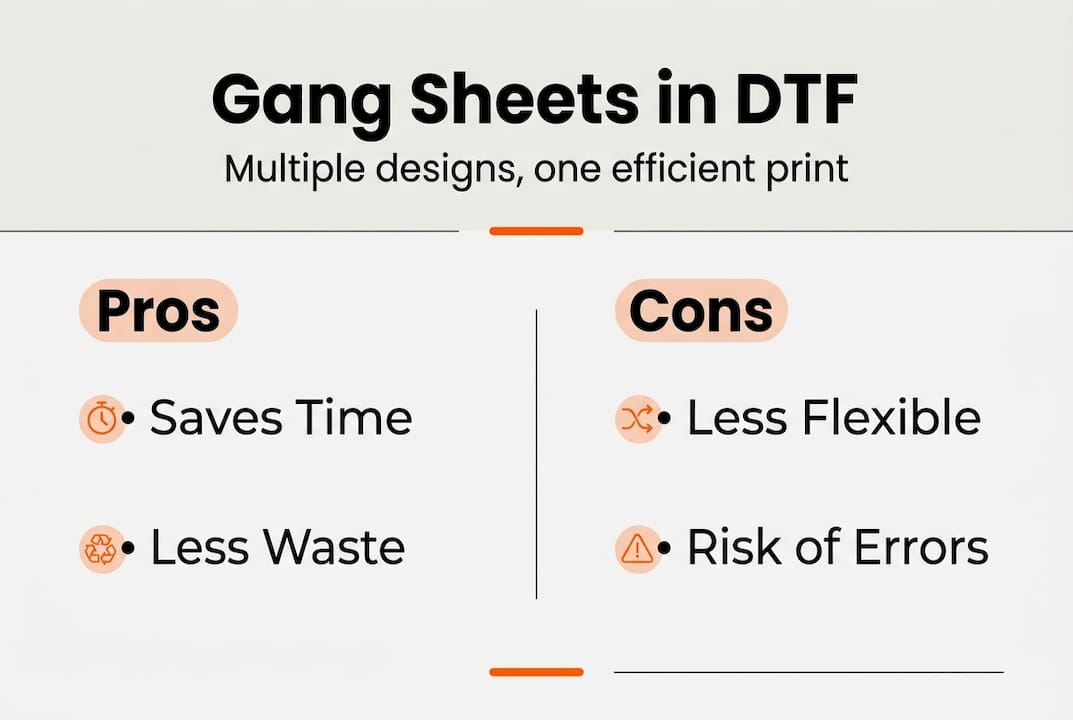
- Gang sheets vs individual transfers: Pros and cons
- Expert workflow tips for maximizing gang sheet value
- When (and when not) to use gang sheets
- Optimize your DTF printing process with DIYPrintz
- Frequently asked questions
Key Takeaways
| Point | Details |
|---|---|
| Gang sheets boost efficiency | Printing multiple designs on one sheet saves time and material. |
| Best use in bulk or mixed orders | Gang sheets are ideal for large or varied print runs, but less flexible for small one-offs. |
| Weigh risk and process | A single mistake on a gang sheet can mean reprinting the whole batch, so careful setup is essential. |
| Daily white ink maintenance | Shaking white ink daily keeps your DTF printer clog-free and producing high-quality transfers. |
What is a gang sheet?
A gang sheet is one large transfer sheet that holds multiple smaller designs arranged side by side. Instead of printing each design on its own sheet, you pack as many graphics as possible onto a single film, then print the whole thing at once. Think of it as a collage of prints, where every inch of material is put to work.
In DTF (Direct-to-Film) printing, this approach is especially powerful. DTF transfers are printed onto a special film, coated with hot-melt adhesive powder, cured, and then heat-pressed onto fabric. When you use a gang sheet, you run that entire process once for multiple designs instead of repeating it for each one individually. As noted in research on gang sheet efficiency, gang sheets allow several designs to be printed on a single sheet for efficiency.
Common use cases include:
- Bulk merch runs where you need the same logo in multiple sizes
- Mixed-design orders for small brands launching a new collection
- Sample batches where you want to test several colorways at once
- Hobbyist projects combining different graphics for custom apparel
If you want to get your files ready before ordering, our gang sheet preparation guide walks you through the full setup process.
How gang sheets work in DTF printing
The process is straightforward once you know the steps. Here is how a typical gang sheet goes from file to finished transfer:
- Gather your design files. Collect all the graphics you want to print. Make sure each file is high resolution (300 DPI minimum) with a transparent background.
- Open your design software. Use a program like Adobe Illustrator, Photoshop, or a free tool like Canva to create a canvas that matches your sheet size (common sizes are 22" x 24" or 22" x 36").
- Arrange designs to minimize waste. Place graphics close together without overlapping. Rotate designs if needed to fill gaps. Every blank inch costs you money.
- Export and upload. Save the file as a print-ready PDF or PNG and upload it to your DTF printer or transfer service.
- Print the full sheet. The DTF printer lays down color ink, then white ink underneath, all in one pass across the entire sheet.
- Apply adhesive powder and cure. Hot-melt powder is applied and melted to bond with the ink layer.
- Cut individual transfers. Once printed and cured, you cut or trim each design from the sheet before heat-pressing.
Pro Tip: Leave at least 0.25 inches of space between designs when arranging your gang sheet. This gives you clean cutting room and prevents you from accidentally trimming into a neighboring graphic.
One thing to keep in mind: gang sheets can be less flexible for rush orders or single prints, and if one design fails during printing, it can affect the output of the entire sheet. For more layout tricks and time-saving hacks, check out these DTF gang sheet hacks that experienced printers use regularly.
Gang sheets vs individual transfers: Pros and cons
Both methods have a place in a smart DTF workflow. The key is knowing which one fits your current job.
| Factor | Gang sheet | Individual transfer |
|---|---|---|
| Cost per print | Lower | Higher |
| Material waste | Minimal | Can be significant |
| Setup time | Longer upfront | Faster per design |
| Flexibility | Lower | Higher |
| Risk if design fails | Entire sheet affected | Only one design lost |
| Best for | Bulk runs, mixed orders | Prototypes, rush jobs |
Key benefits of gang sheets:
- Lower cost per transfer when printing in volume
- Less film and ink wasted per design
- Faster overall production for large orders
- Easier to batch press multiple designs in one session
Drawbacks to watch for:
- A misprint or color error can affect the whole sheet, not just one design
- Requires more planning and layout time before printing
- Not ideal when you need one transfer fast
Pro Tip: Run a test print of any new design as an individual transfer before committing it to a full gang sheet. This protects your material investment and catches color or sizing issues early.
For a broader look at how gang sheets fit into current production trends, see our breakdown of DTF custom merch trends shaping 2026. You can also explore DTF printing options to compare methods across different production setups.
Expert workflow tips for maximizing gang sheet value
Knowing the mechanics is one thing. Getting consistent results is another. These tips come from real production experience.
- Use witness marks. Add small registration marks or corner indicators to your gang sheet layout. They make cutting faster and more accurate.
- Group designs by size. Arrange similar-sized graphics together so your cuts follow a clean grid pattern instead of jumping around the sheet.
- Color-code your layout. Use a light background color in your design software to visualize empty space and fill gaps before you finalize the file.
- Batch your orders. Collect orders over a day or two before printing so you can fill a full sheet instead of running a half-empty one.
- Shake your white ink daily. White ink clogs are one of the most common issues in DTF printing, and a simple one-minute shake each morning dramatically reduces the problem.
“The biggest waste in DTF printing is not bad ink or bad film. It is bad planning. A well-arranged gang sheet can cut your per-transfer cost by 30 to 50 percent compared to printing singles.”
For hands-on guidance on pressing your finished transfers, our DTF application guide covers temperature, pressure, and timing for clean results every time. Before you start a new print run, it also helps to review our DTF printing checklist to make sure nothing gets missed.
When (and when not) to use gang sheets
Not every job calls for a gang sheet. Matching the method to the project saves you time and money.
| Scenario | Recommended method |
|---|---|
| Bulk order, same design | Gang sheet |
| Mixed designs, large quantity | Gang sheet |
| Single prototype or sample | Individual transfer |
| Rush order, one-off print | Individual transfer |
| Medium run with a few designs | Hybrid approach |
| Limited edition drop, multiple SKUs | Gang sheet |
Here is a simple decision process you can follow for each new project:
- Check your quantity. If you need 10 or more transfers, a gang sheet almost always wins on cost.
- Assess your deadline. Tight turnaround with no room for reprints? Go individual or hybrid.
- Review design complexity. New or untested designs carry more risk on a gang sheet. Test first.
- Calculate your waste tolerance. If losing a full sheet would hurt your margins, reduce risk with smaller sheets or individual prints.
- Decide on a hybrid if needed. Print proven designs on a gang sheet and new designs individually on the same day.
As individual and hybrid transfers make more sense for prototypes, one-offs, or rush jobs, building a hybrid workflow gives you the best of both methods without locking yourself into one approach. For more guidance on building a smarter production setup, our custom design tips cover layout, color, and file prep in detail. You can also look at how a solid design marketing strategy supports your overall brand growth alongside your print workflow.
Optimize your DTF printing process with DIYPrintz
You now have a clear picture of how gang sheets work, when to use them, and how to avoid the most common mistakes. Putting that knowledge into practice is the next step, and that is exactly where DIY Printz comes in.
At DIY Printz, we handle the full DTF transfer production process so you can focus on pressing, fulfilling, and growing your brand. Whether you need a single gang sheet or a high-volume bulk run, we deliver ready-to-press transfers with fast turnaround and consistent quality. You do not need to own a printer, manage ink, or troubleshoot film issues. Just upload your files, and we take it from there. Our gang sheet preparation guide is also available to help you set up your files correctly before you order, so every sheet prints exactly as planned.
Frequently asked questions
Can I mix multiple designs on one gang sheet?
Yes, you can combine several different designs on a single gang sheet to optimize space and reduce material waste. This is one of the main advantages of the gang sheet format.
What happens if one design fails on a gang sheet?
If one design fails during printing, you may lose the entire sheet and the cost tied to it. This is why testing new designs individually before adding them to a gang sheet is strongly recommended.
Are gang sheets recommended for rush jobs or prototypes?
No. Individual or hybrid transfers are better for rush orders and prototypes because they offer more flexibility and lower risk if something needs to be changed quickly.
How do I avoid white ink clogs in DTF printing?
Shake the white ink cartridge or bottle daily as part of your regular maintenance routine. This simple step reduces clogging issues that are common in DTF printers and keeps your output consistent.
Recommended
READY TO PRINT?
Send us your artwork and we'll dial in your DTF transfer, color, and same-day turnaround.


